Saturday night. Open play. The courts are full, and one question runs the whole room: who’s next?
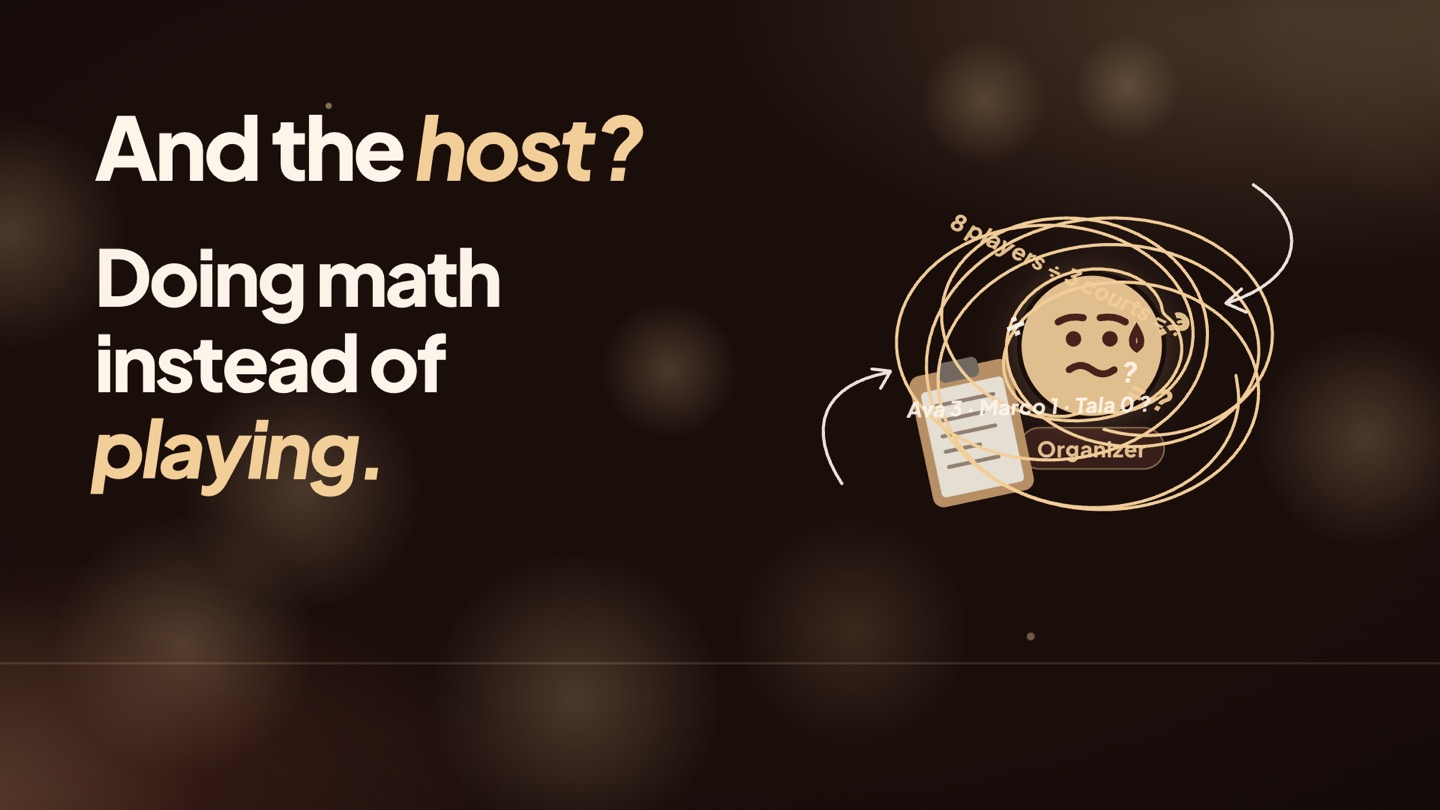
For most groups, the answer is still the organizer’s call — a whiteboard, names in a notebook, a list kept in someone’s head. It works until it doesn’t. The same four keep playing, the late comer gets lost, and someone has been waiting fifty minutes. And the host? Doing math instead of playing.
Choyens runs the rotation for you. This post follows one night with Rotation — the format whose whole rule is “fewest games play next” — from check-in to the last game. Prefer to watch? It’s all in the video.
1 Check in
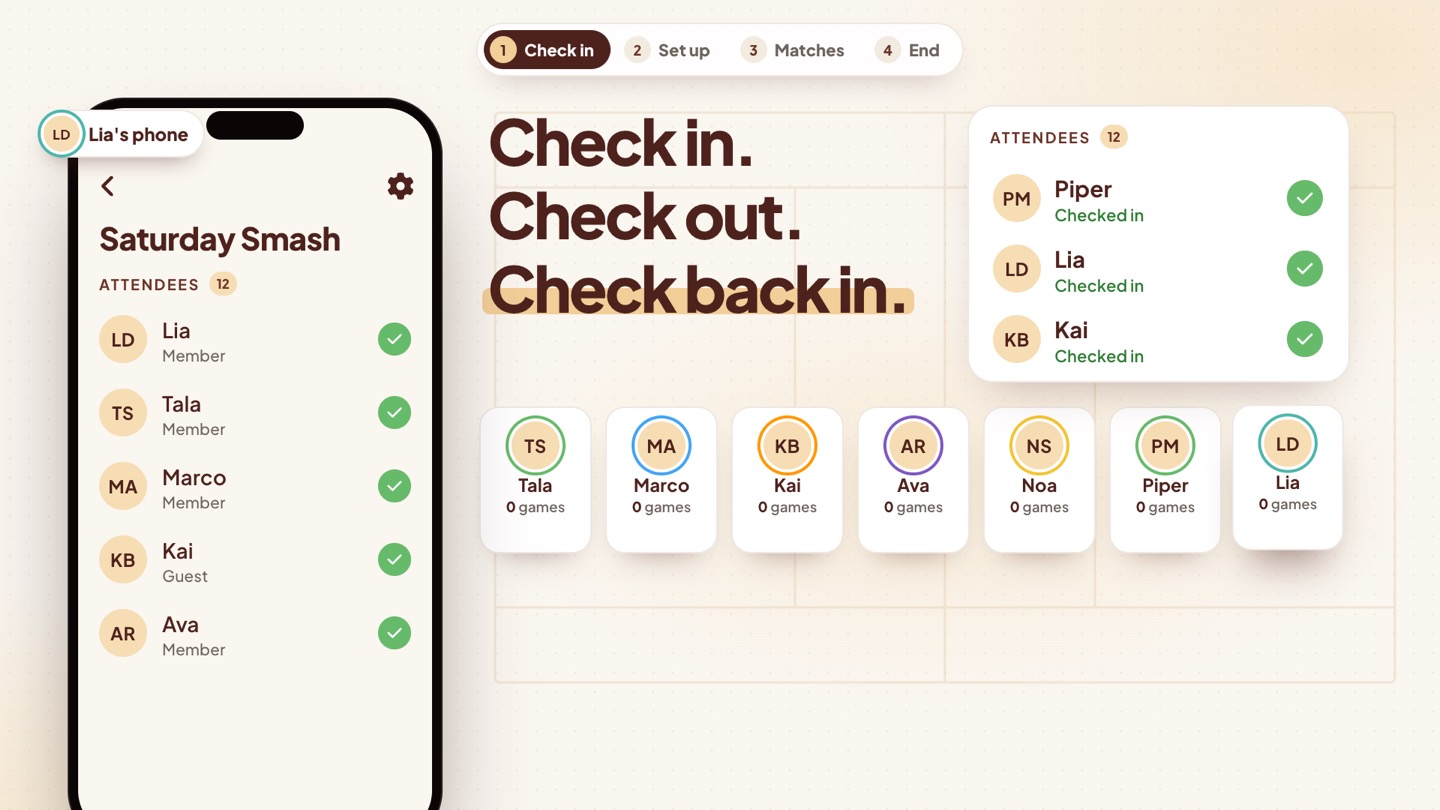
You join the line when you check in. When players arrive, they tap I’m here in the app, and they’re part of the rotation.
Need a breather? Choose Check out of games. You stop being queued for new matches and drop out of the rotation, but you stay on the attendee list — and you can check back in anytime.
2 Set up
Next, open the game settings. Choose how many players per team and how many sets to play, and add your courts — up to 10.
Choose how teams are made
Rotation decides who plays next. The match type decides how those players are split into teams:
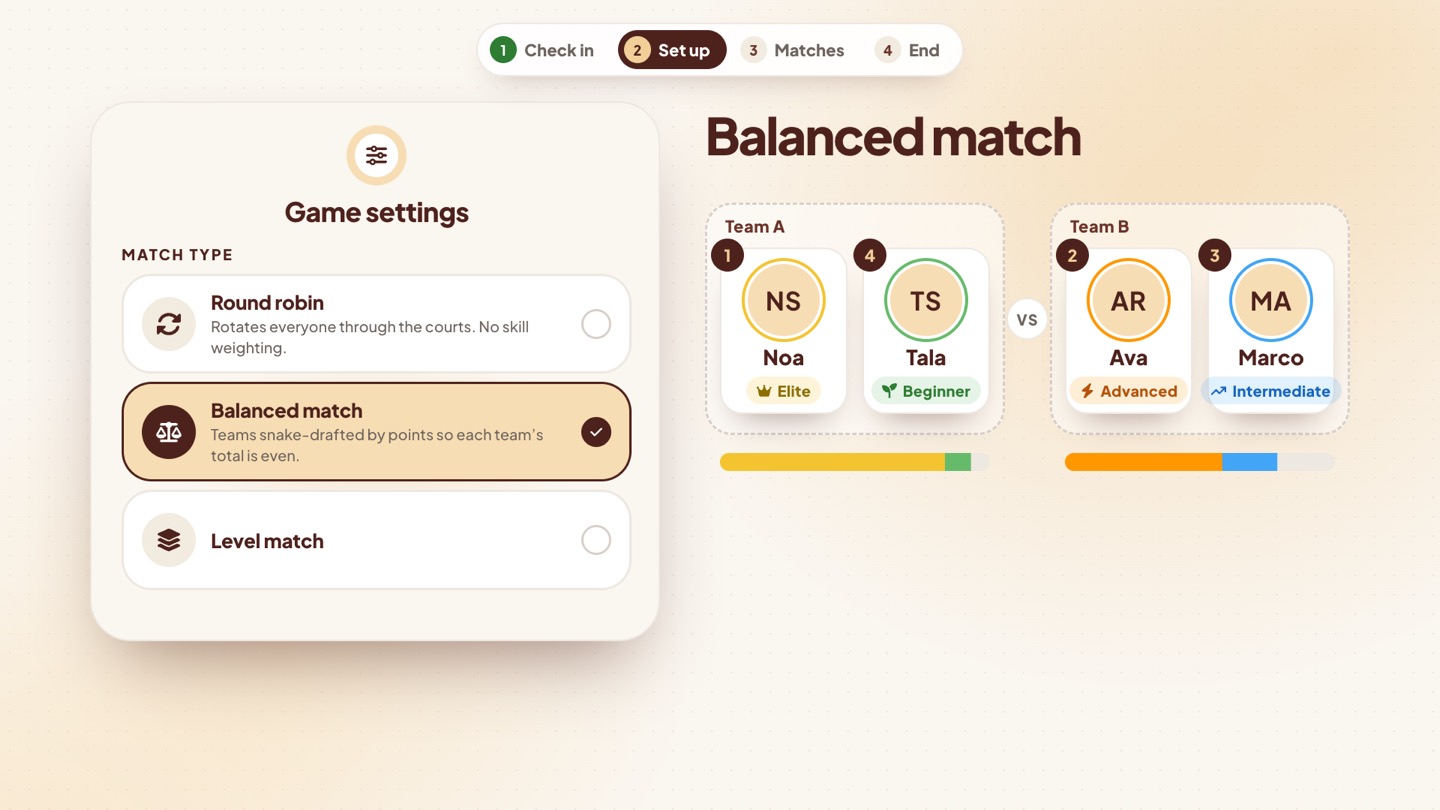
- Round robin rotates everyone through the courts, with no skill weighting.
- Balanced match snake-drafts teams by points, so each team’s total comes out even. In the video, an Elite and a Beginner face an Advanced and an Intermediate player — two very different pairs with the same total.
- Level match builds equal teams by level, while still giving the next game to whoever has played least.
Rate your players
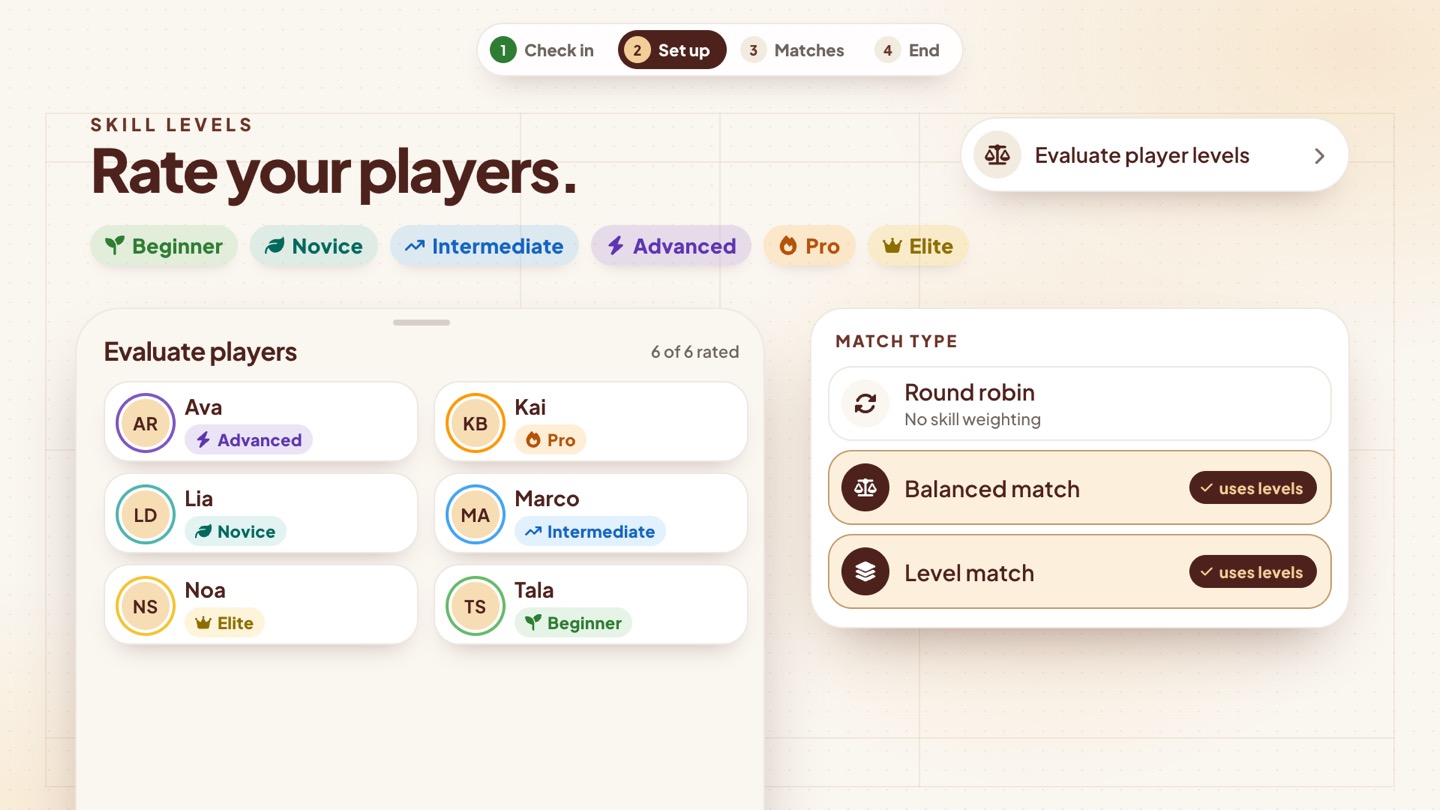
Use Evaluate player levels to mark each player Beginner, Novice, Intermediate, Advanced, Pro or Elite. Balanced and Level matches put those levels to work; Round robin ignores them.
Groups for a mixed crowd
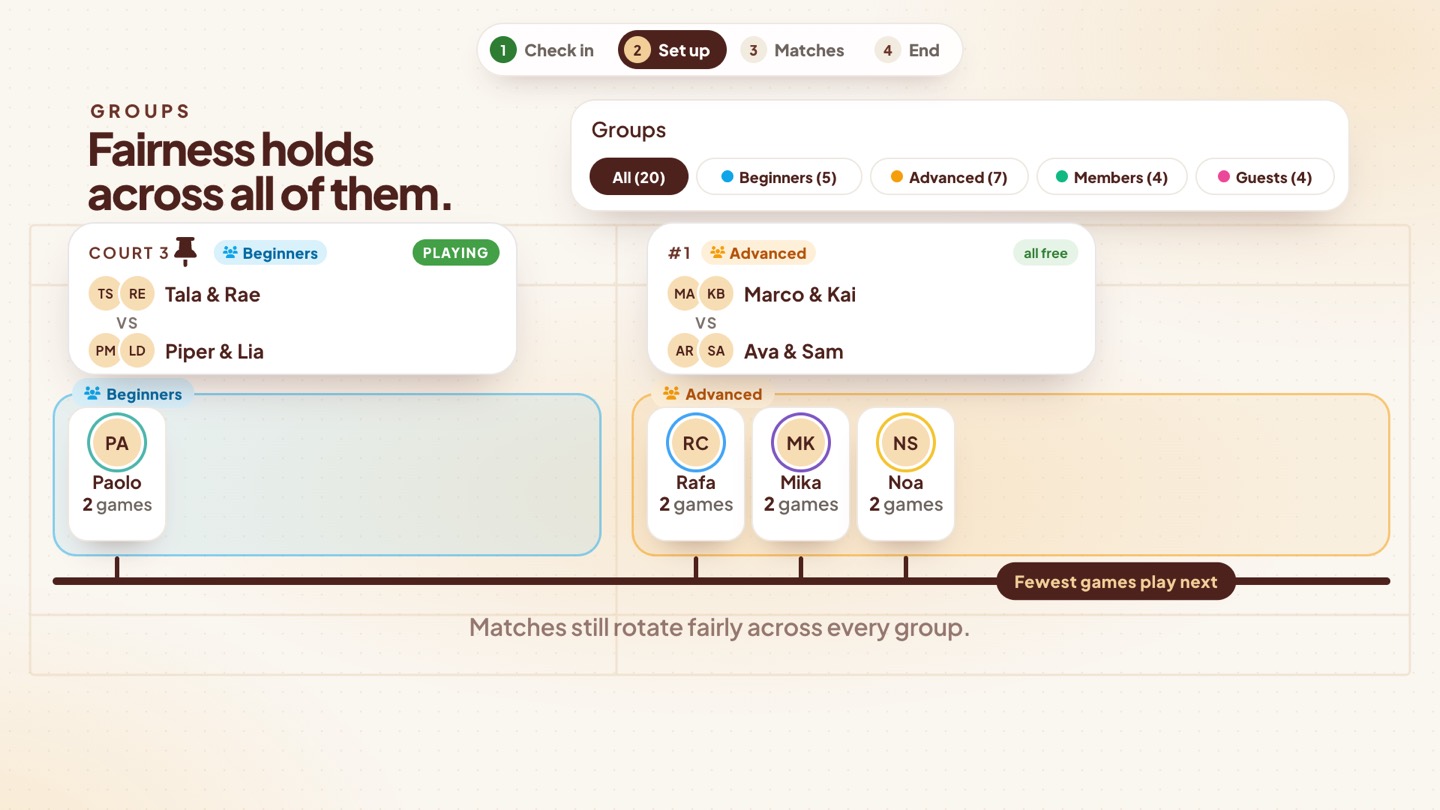
Mixed crowd? Make up to four groups — by level, or members and guests — and pin a group to a court. Matches stay inside each group, and fairness holds across all of them: there’s still one fewest-games line for the whole night.
Start open play
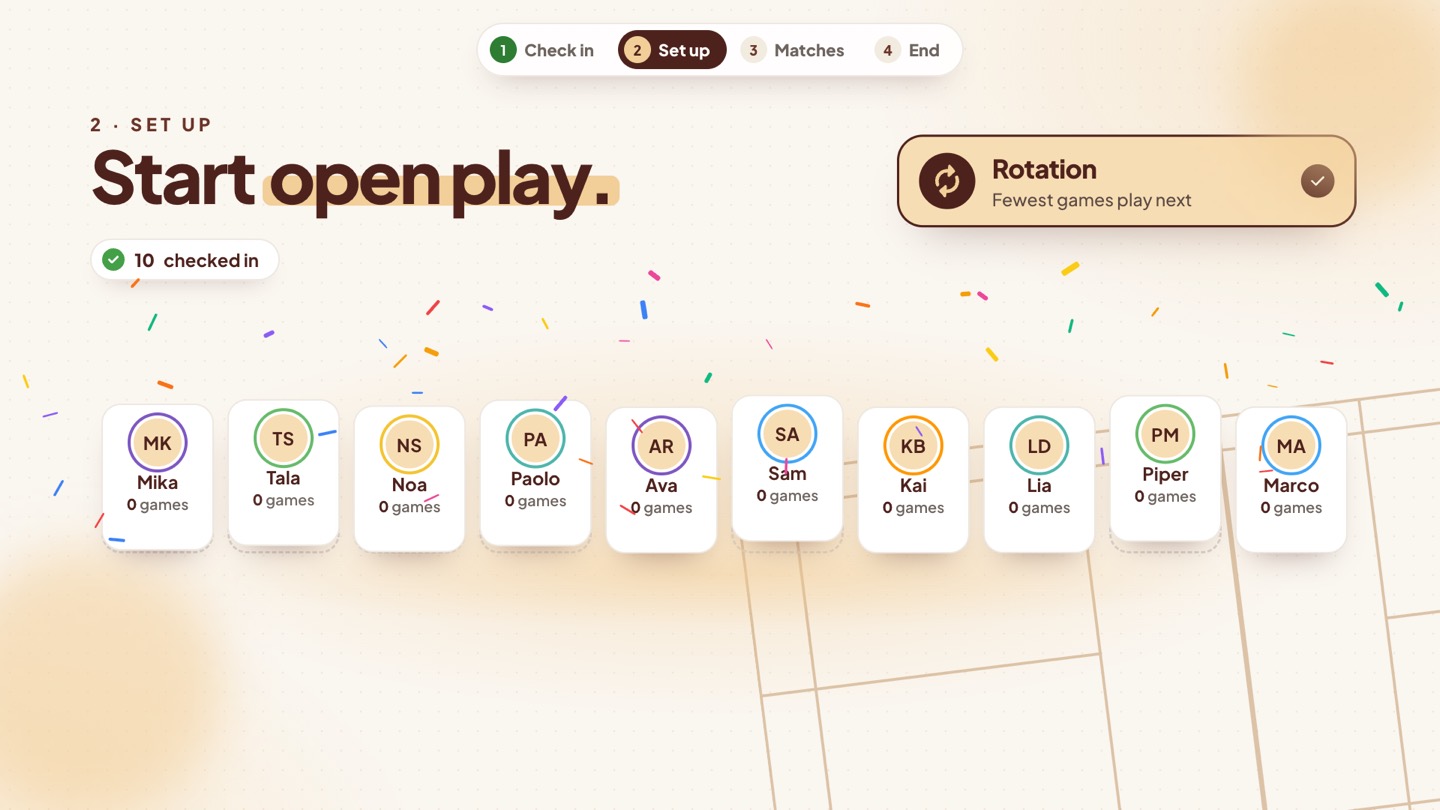
When your players are in, open the host menu and tap Start open play. Choyens asks you to confirm that your attendees are final, then the live screen opens — and everyone checked in joins the rotation, shuffled into the starting line.
3 Play the matches
Generate, start, get called
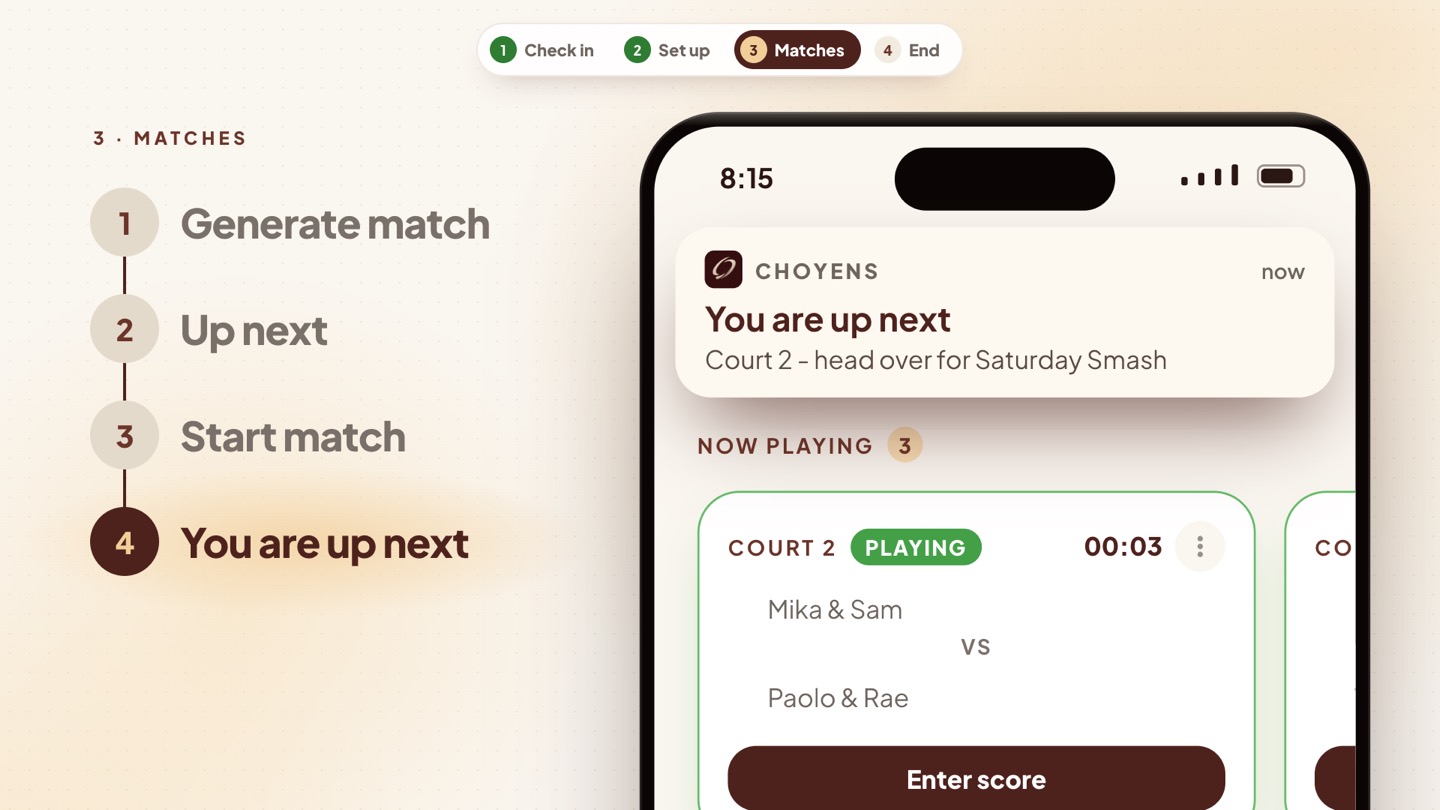
Tap Generate match. The match lands in Up next. Start it on a free court, and the players’ phones get the call: “You are up next — Court 2, head over.” Nobody hovers by the sign-up sheet.
One line, fewest games first
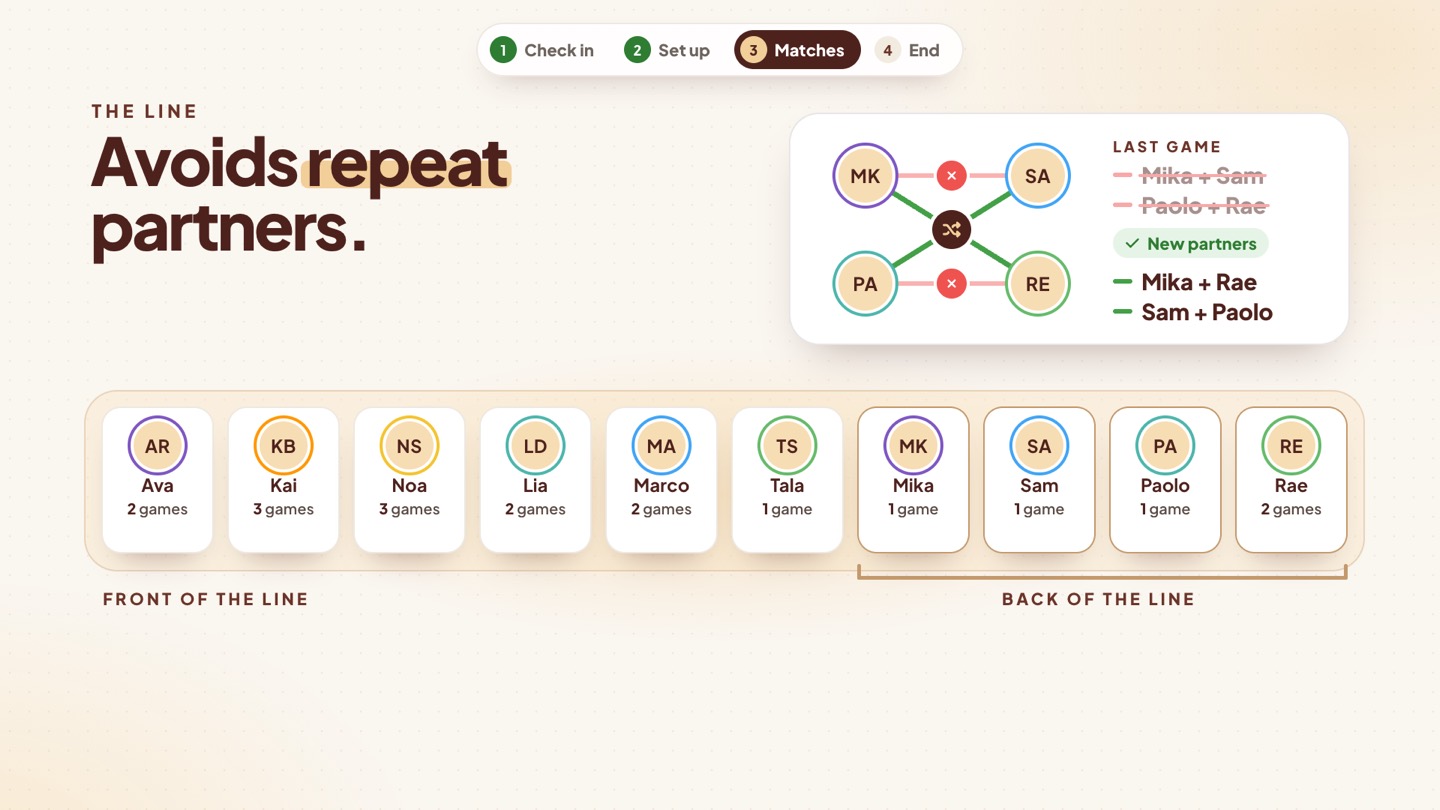
Everyone waits in one line. The players with the fewest games go on next, and whoever has waited longest breaks the tie. After each game, everyone who played goes to the back of the line — and Choyens avoids repeat partners until every combination has had its turn.
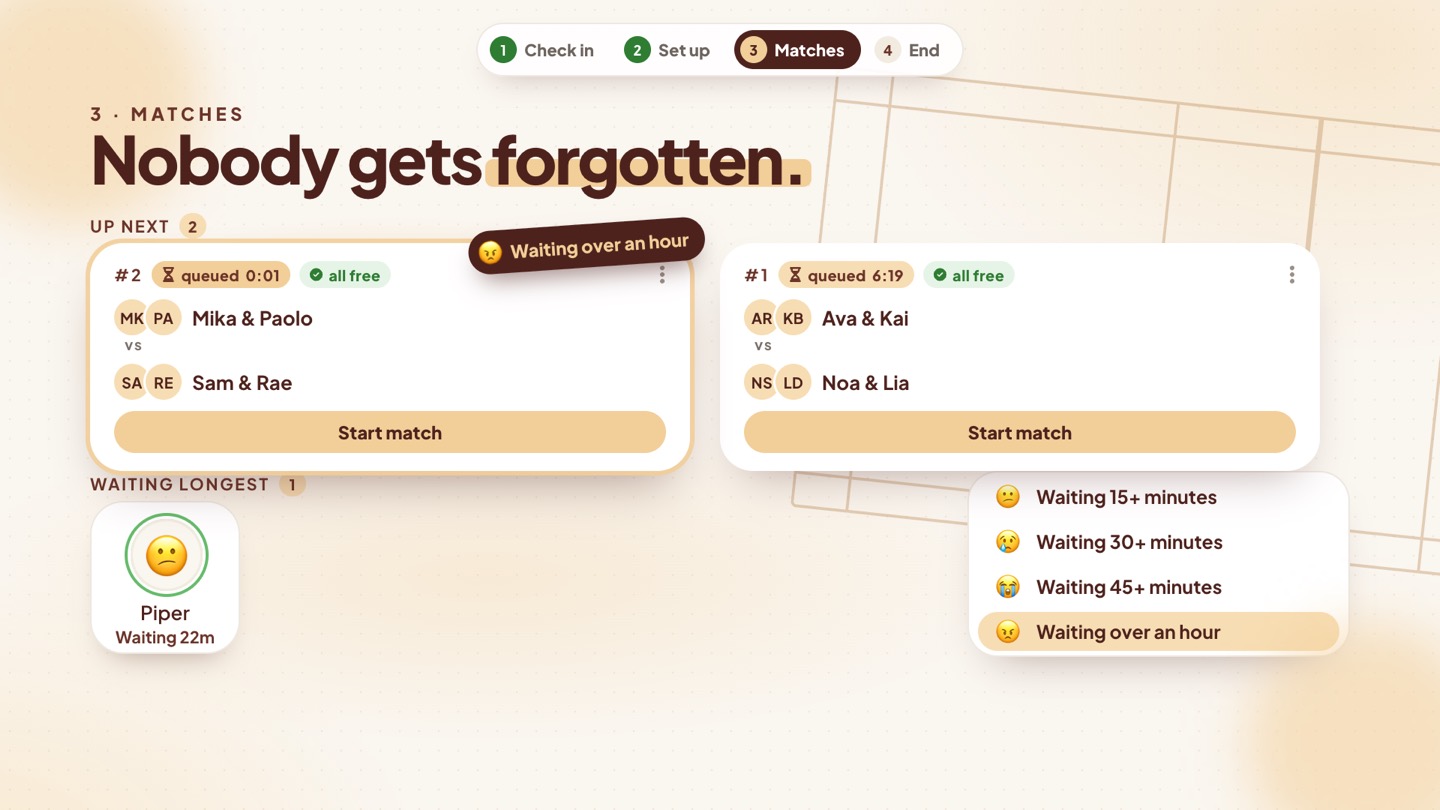
Nobody gets forgotten
The live screen’s Waiting longest strip shows everyone’s wait, and the faces get sadder as the minutes pass — at 15, 30, 45 and 60 minutes. Up next puts matches with someone waiting 15 minutes or more first.
Late comers catch up on their own
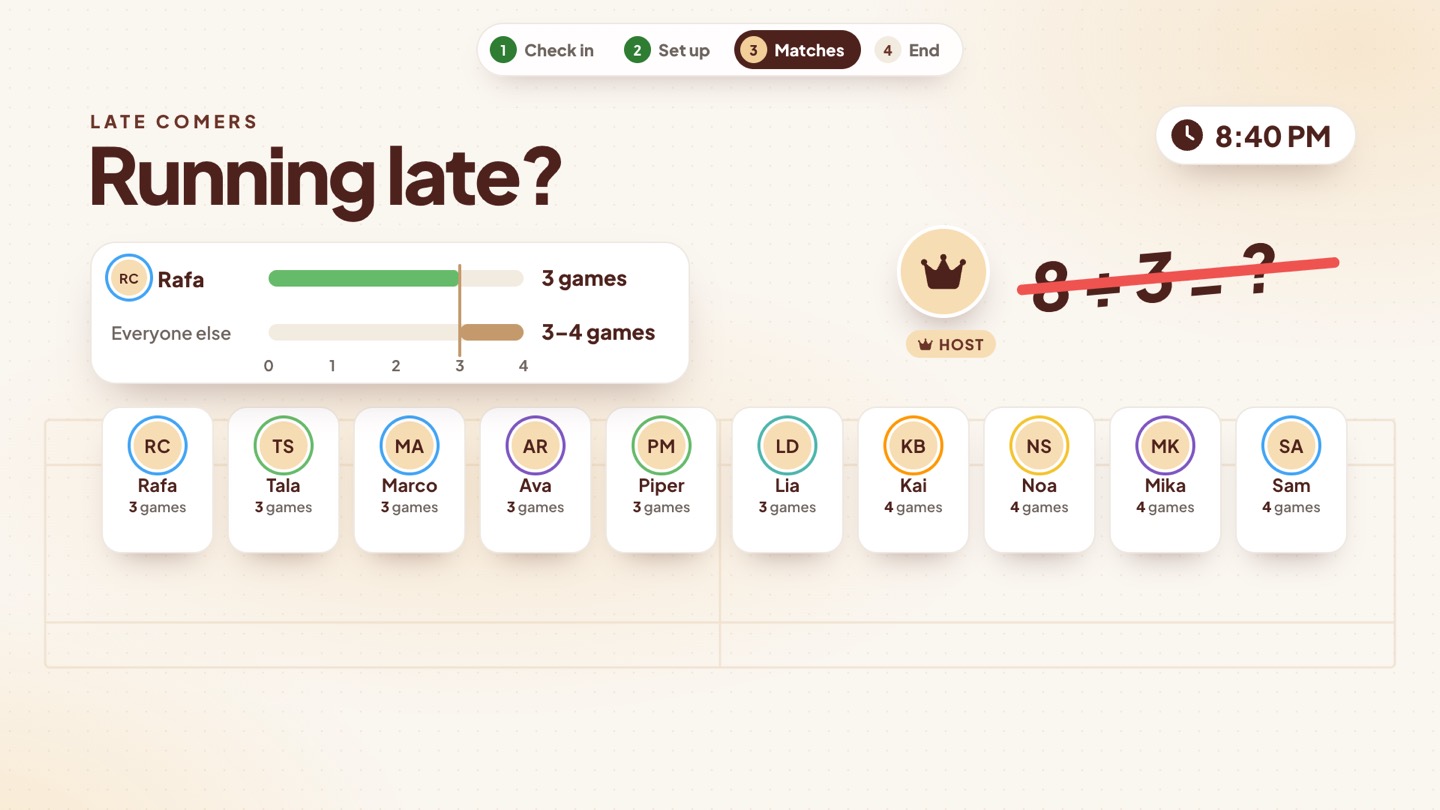
Running late? You check in at the end of the line and start at zero games, so the fewest-games rule puts you on next until you’ve caught up with everyone else. Nobody has to do the math.
Friends want to team up?
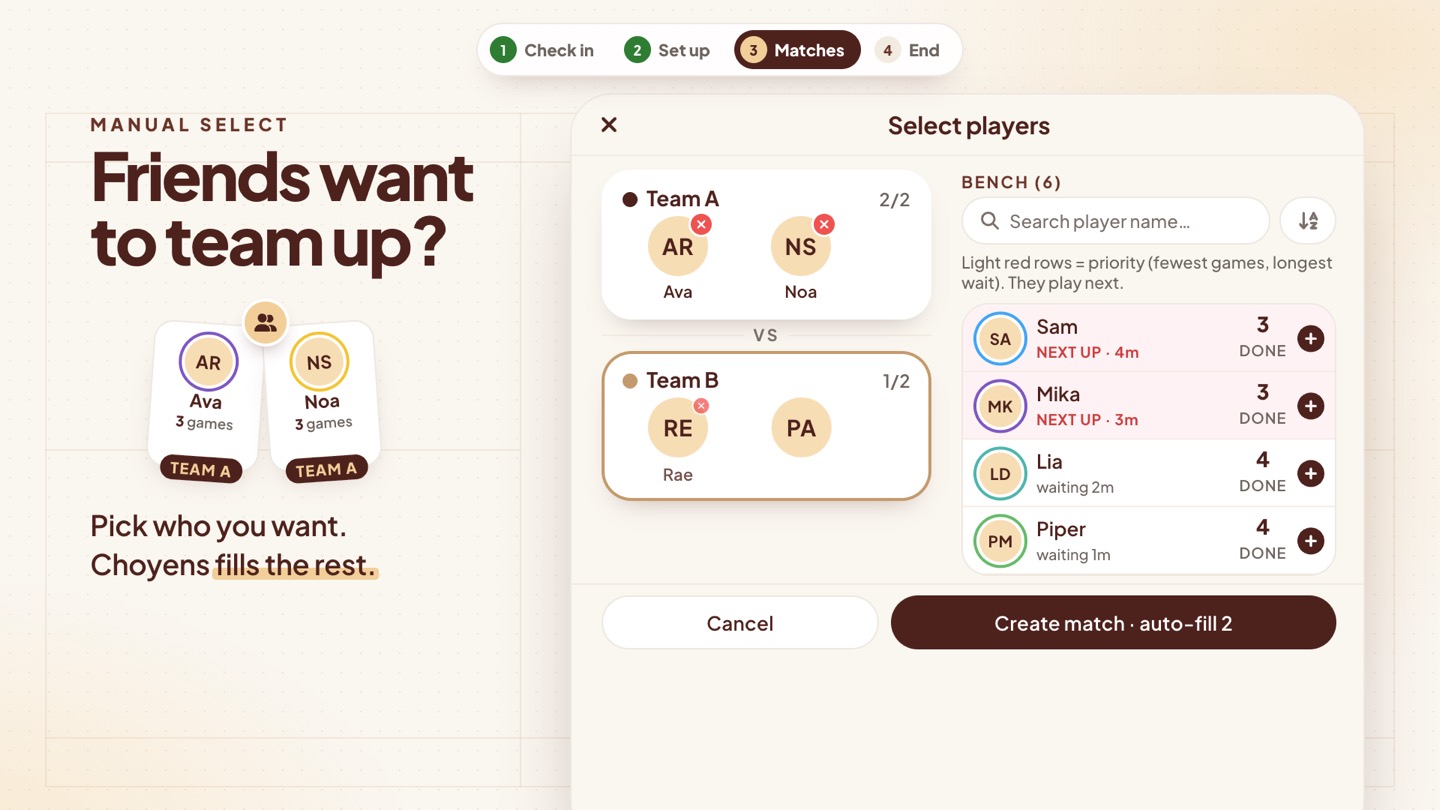
Switch on Select players manually in the game settings. Pick who you want on each team, and Choyens fills the rest. The bench highlights the players who should go next — fewest games, longest wait — so a hand-picked match stays fair too.
4 Close the night
When the night is done, tap Close event. Joining, check-in and scoring lock, and the night is in the books. Weekly events create the next session automatically.
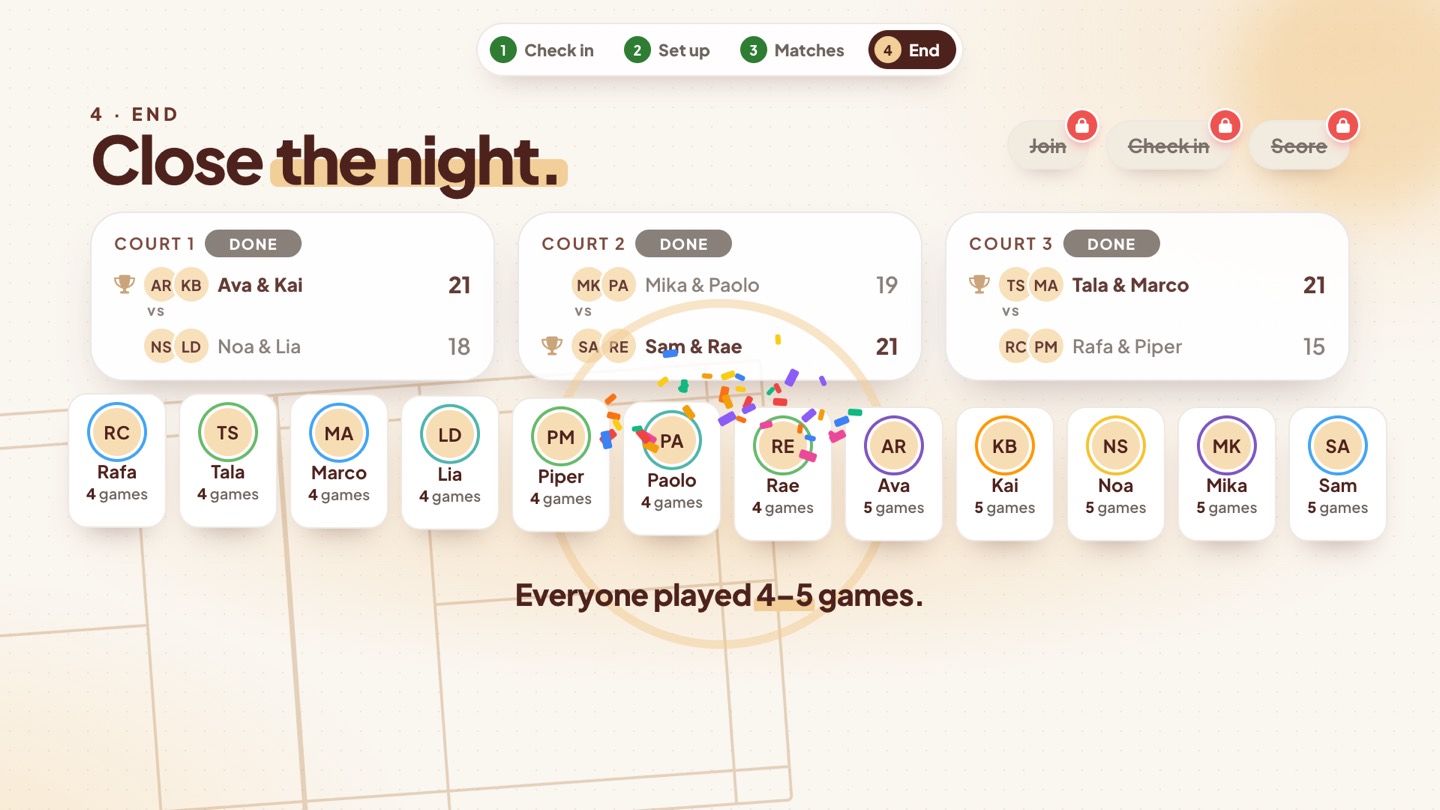
Fewest games play next. Everyone plays.
Run your next open play with Choyens
The Open Play & Queuing app is free on iPhone and Android. Create the event, check your players in, and let Rotation run the queue.