Every club has a chat. It’s where the plans happen — the banter, the photos, the “who’s bringing shuttles?” And it should stay that way.
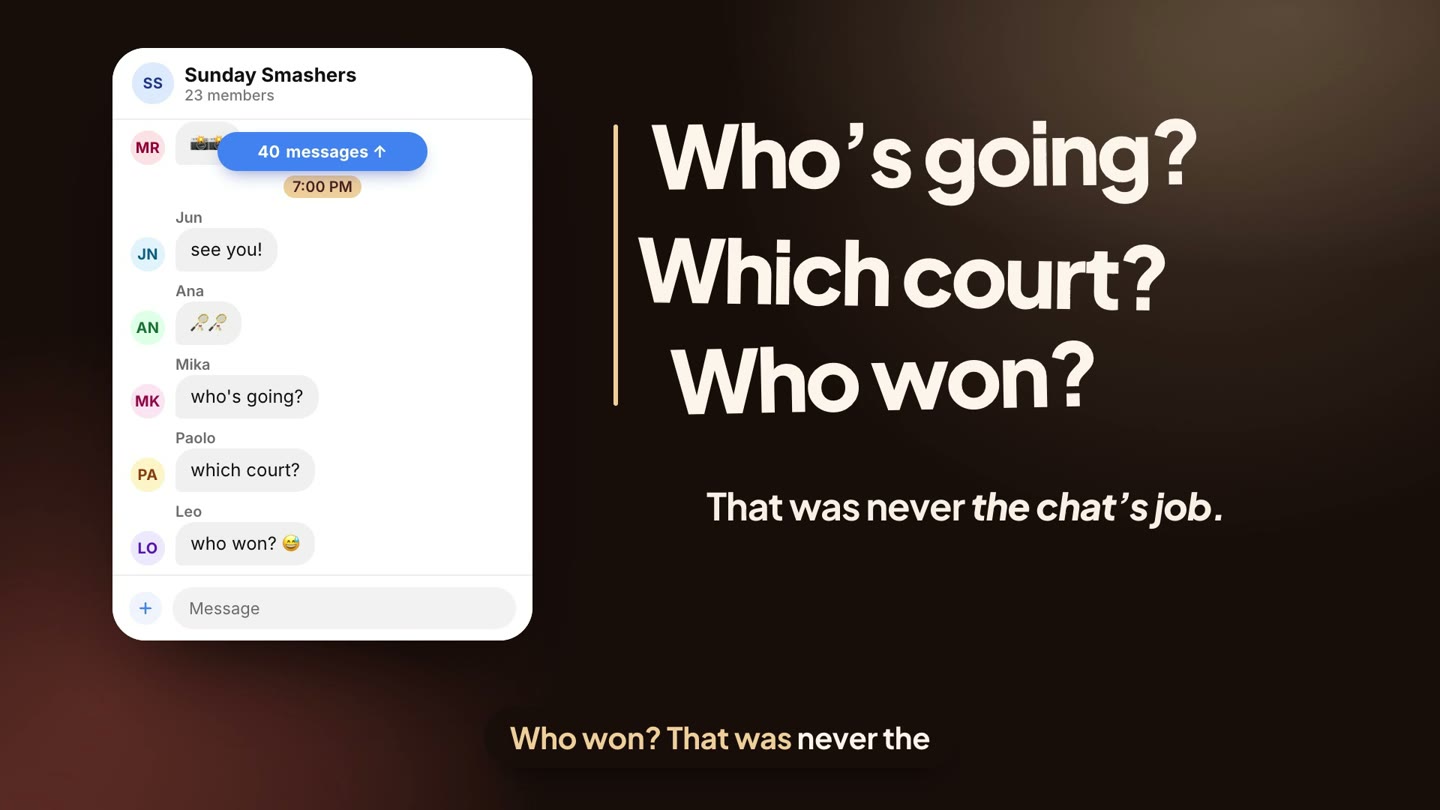
But a chat moves. The list you posted at noon is forty messages up by seven. Who’s going? Which court? Who won? That was never the chat’s job — so the organizer becomes the database. Copy, paste, update, repeat.
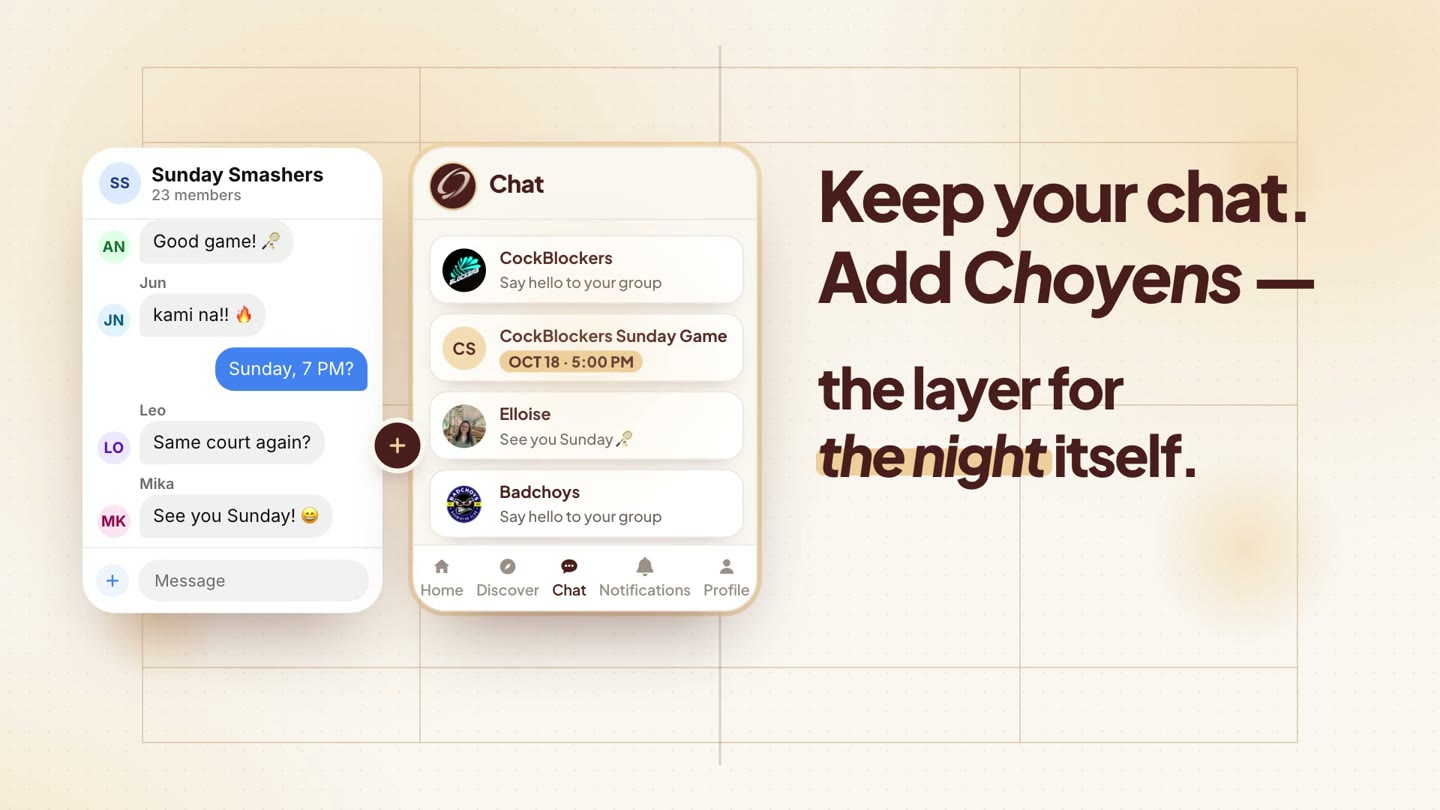
Choyens doesn’t ask your club to leave its chat. It adds the layer for the night itself — the event, the list, the queue and the result — and puts it right where your club already talks. This post walks through it with two real clubs on Choyens, Badchoys from Mandaue and CockBlockers from Cebu City. Prefer to watch? It’s all in the video.
1 Start with a group
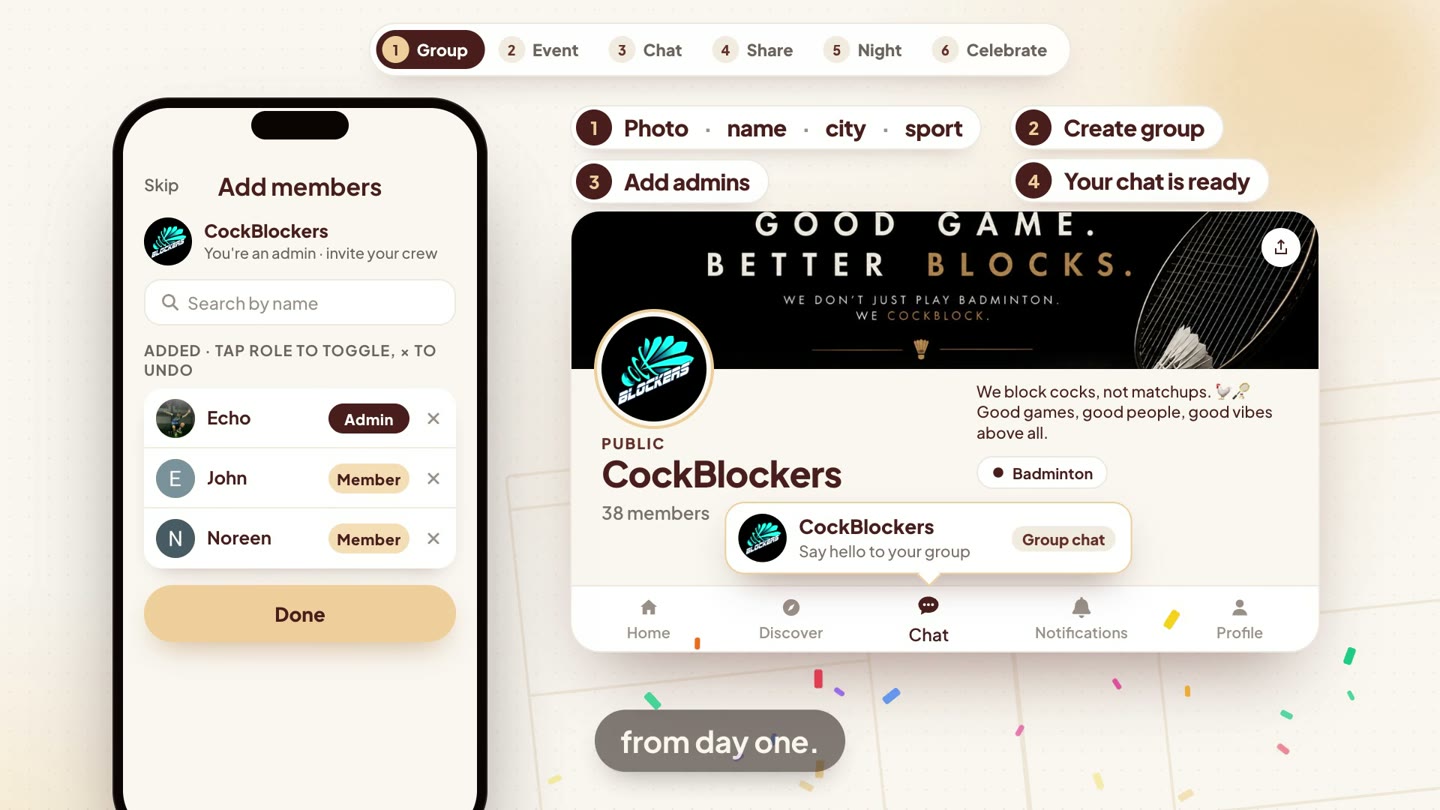
A group is your club’s home on Choyens. Add a photo, a name, your city and your sports, choose Public or Private, and tap Create group. Then add your admins — and the club has a home, with its own group chat, from day one.
Invite your crew
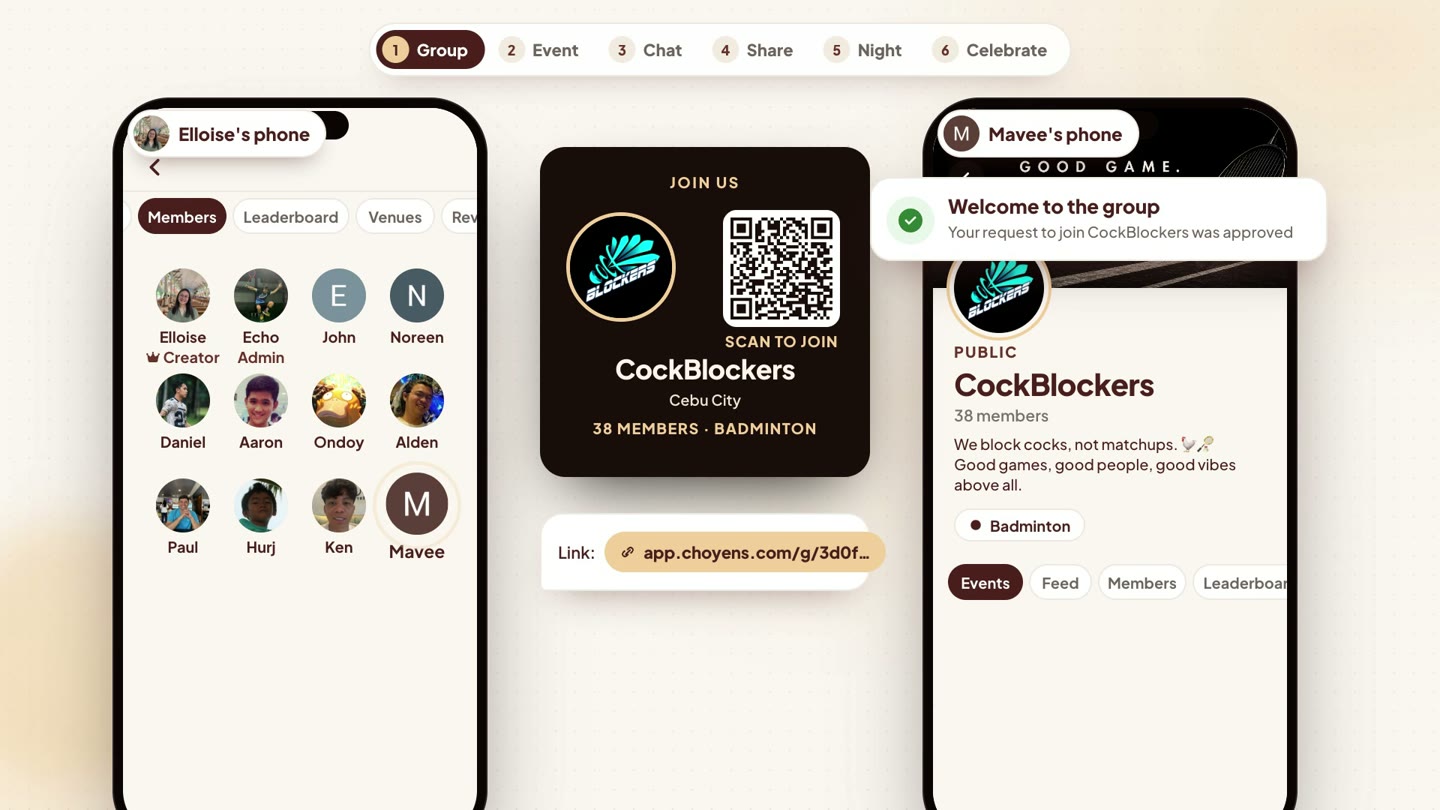
Share the group as a Story, an image with a “Scan to join” QR code, or just a link. New members tap Join group, and an admin approves them from Requests.
2 Create the night in a minute
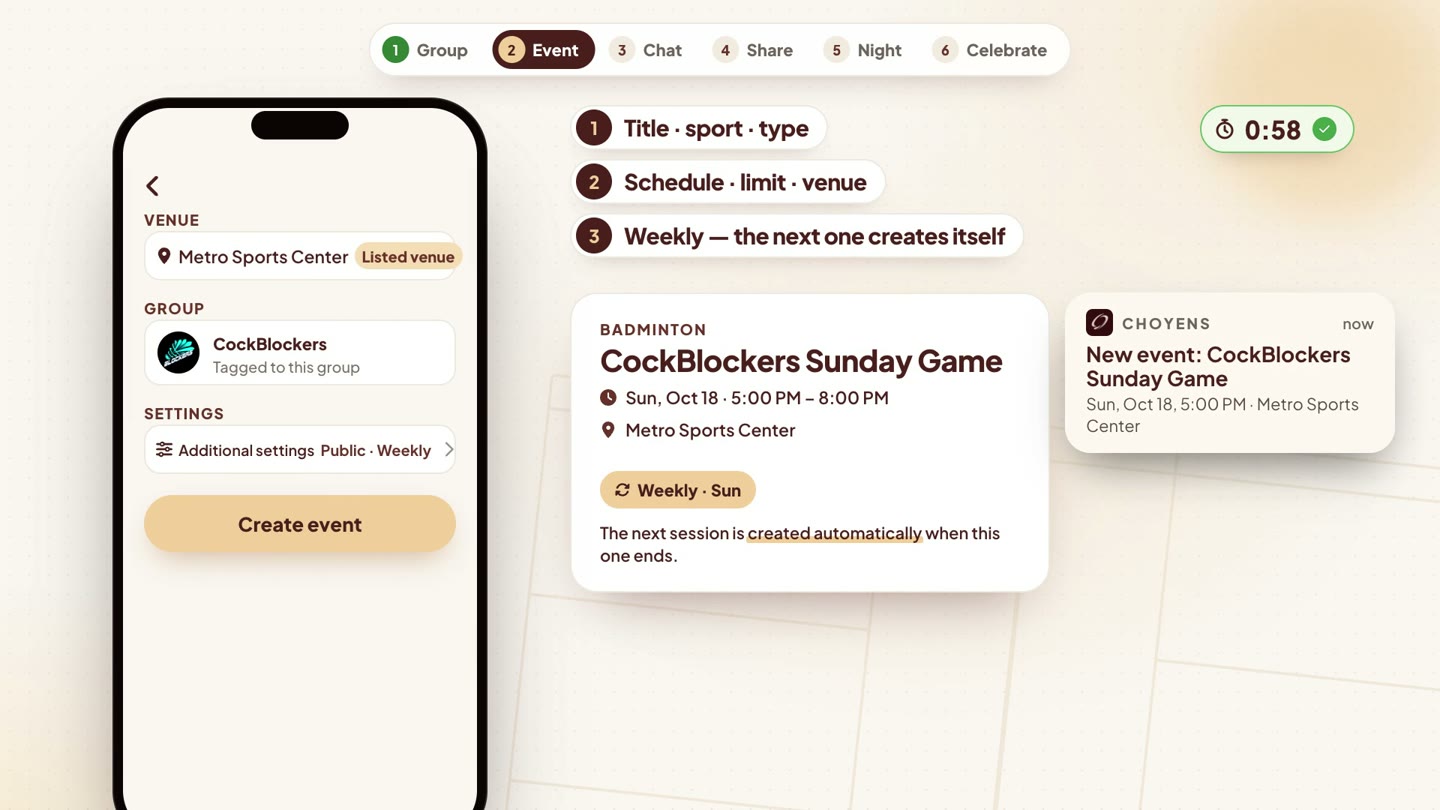
Title, sport, Queuing or Meet-up, the schedule, how many players, the venue. Make it weekly, and the next session is created automatically when this one ends. Group members and nearby players get a heads-up: “New event.”
3 The event lives in the chat
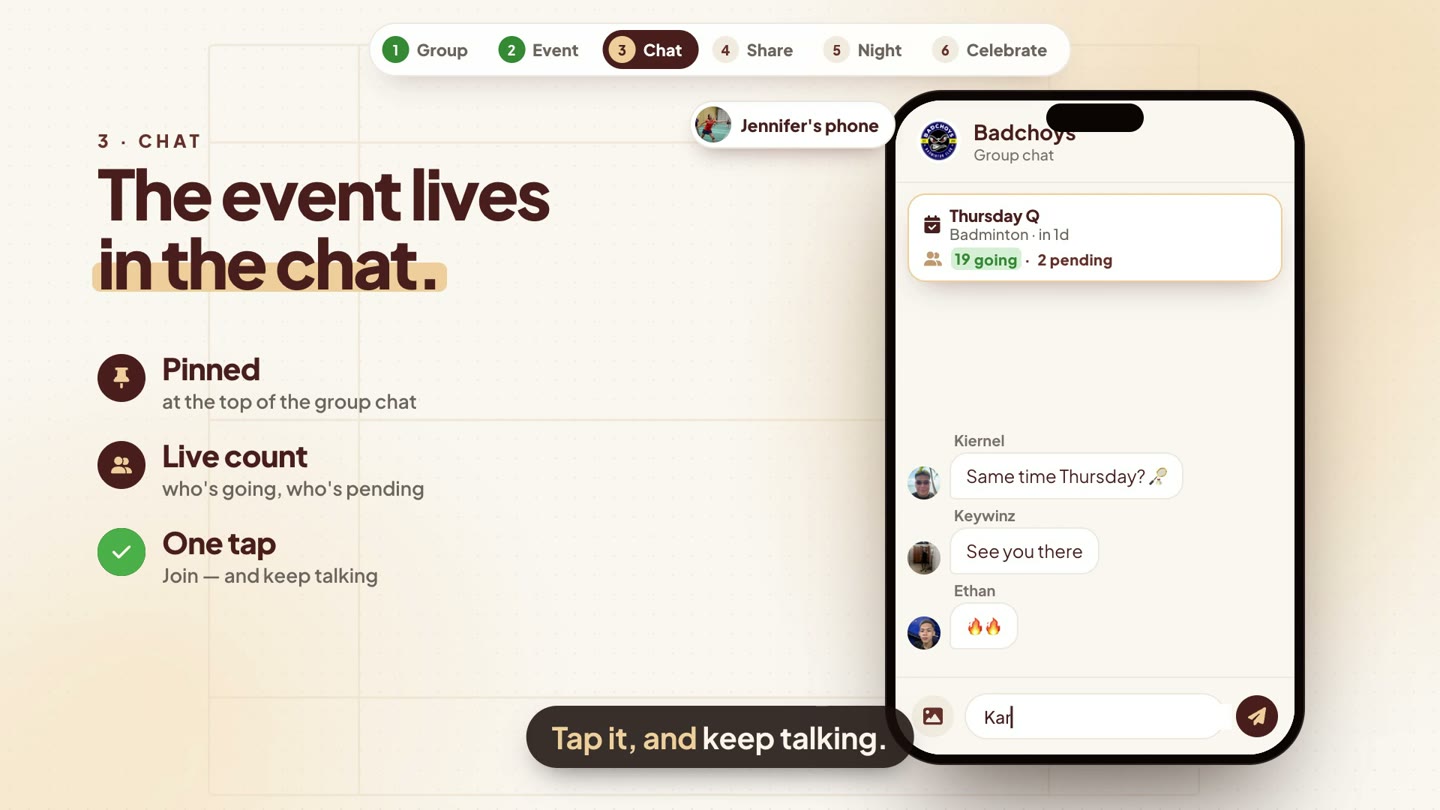
Here’s where Choyens meets your club’s conversation. In the group chat, the next event sits pinned at the top — with a live count of who’s going and who’s pending, and one Join button. Tap it, and keep talking.
The list updates itself
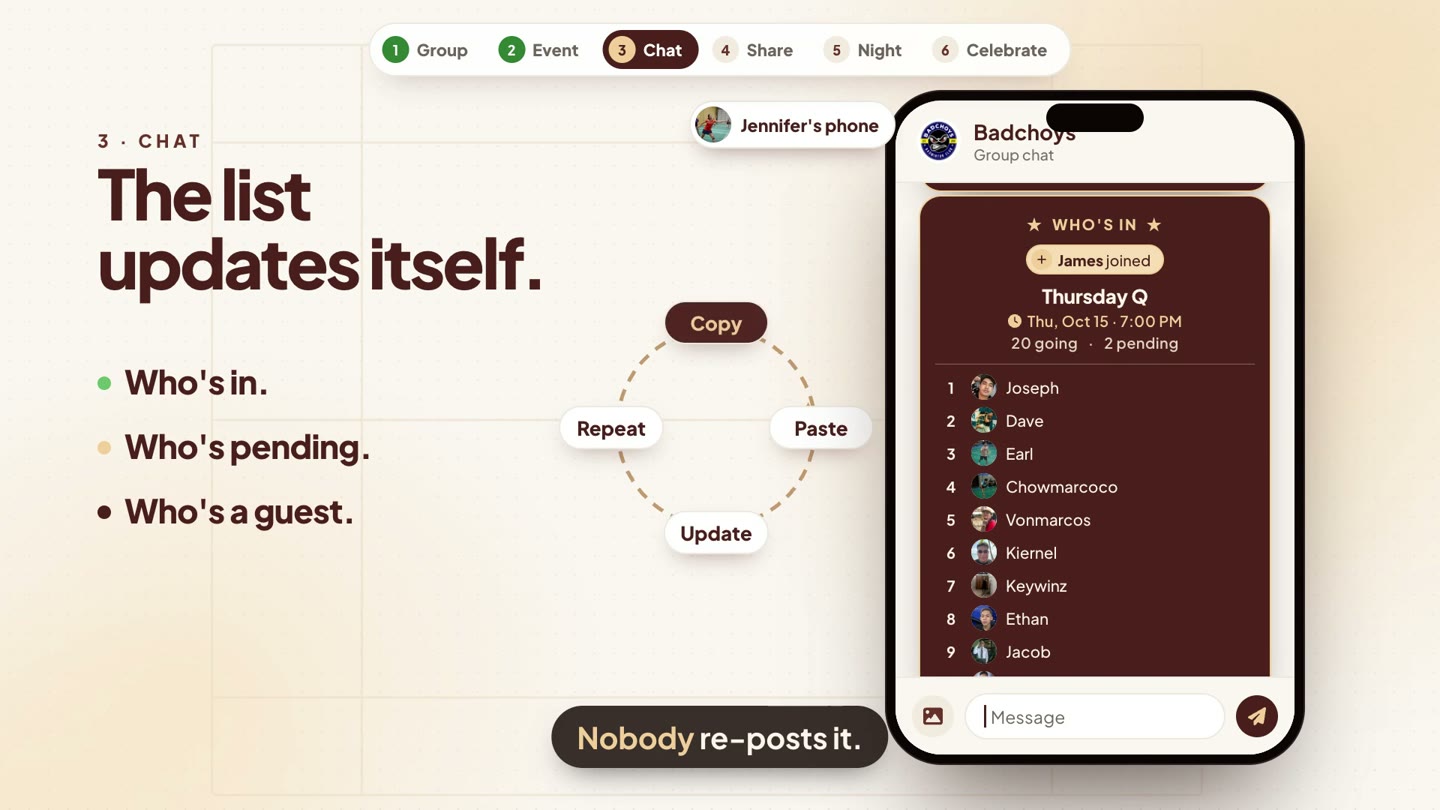
Every time someone joins, an updated Who’s in card lands right there in the chat: who’s going, how many are pending, and who’s a guest. Nobody re-posts the list. Nobody has to ask.
4 One link, anywhere
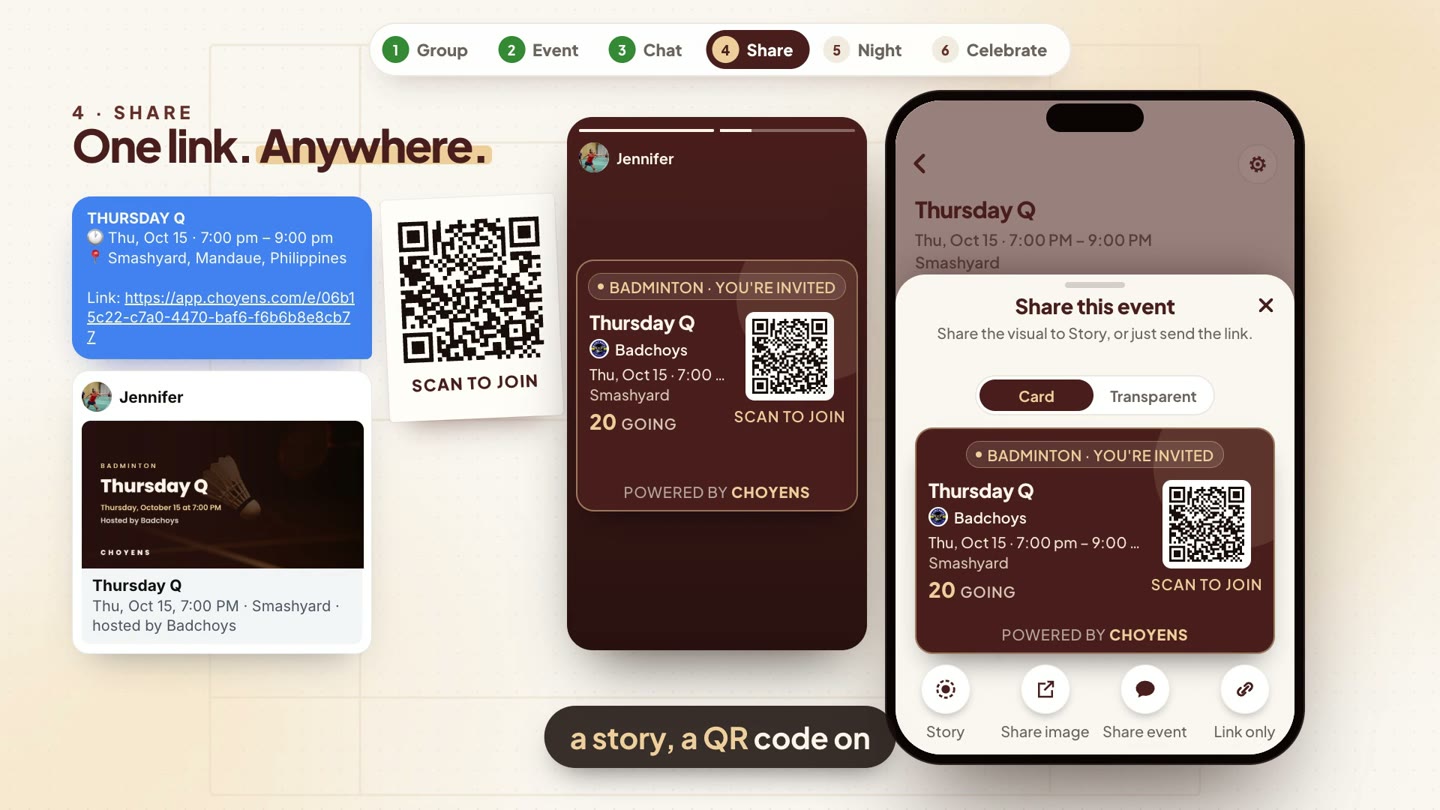
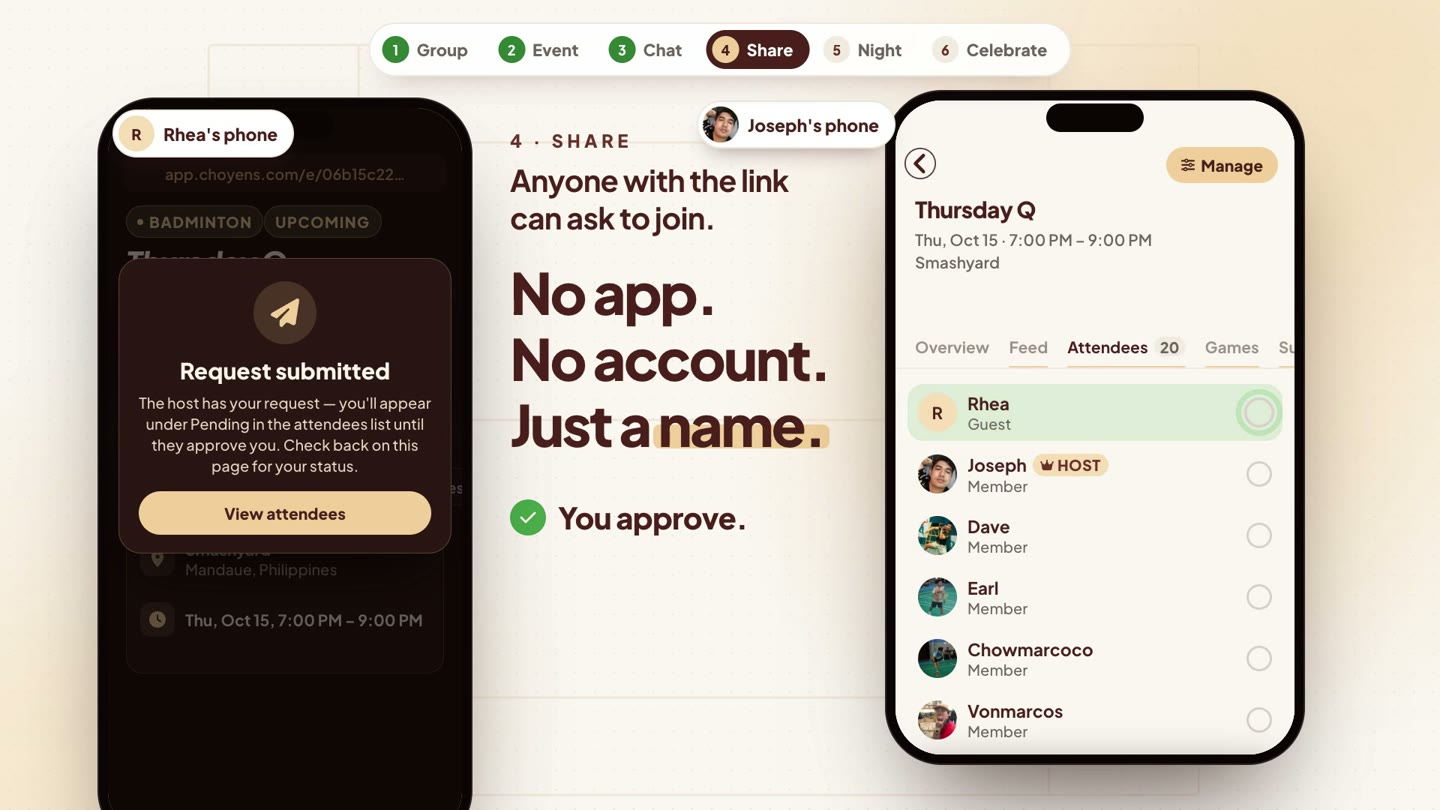
Need more players? Share the event anywhere — your group chat, a social post, a story, or a QR code on the wall. The link shows a proper preview card with the event, the date, the venue and the club.
Guests join with just a name
Anyone with the link to a public event can tap Request to join as guest — no app, no account, just a name. The host gets a New RSVP request, approves it from Attendees, and they’re in. If the event is full, guests can join the waitlist instead.
5 The night runs itself
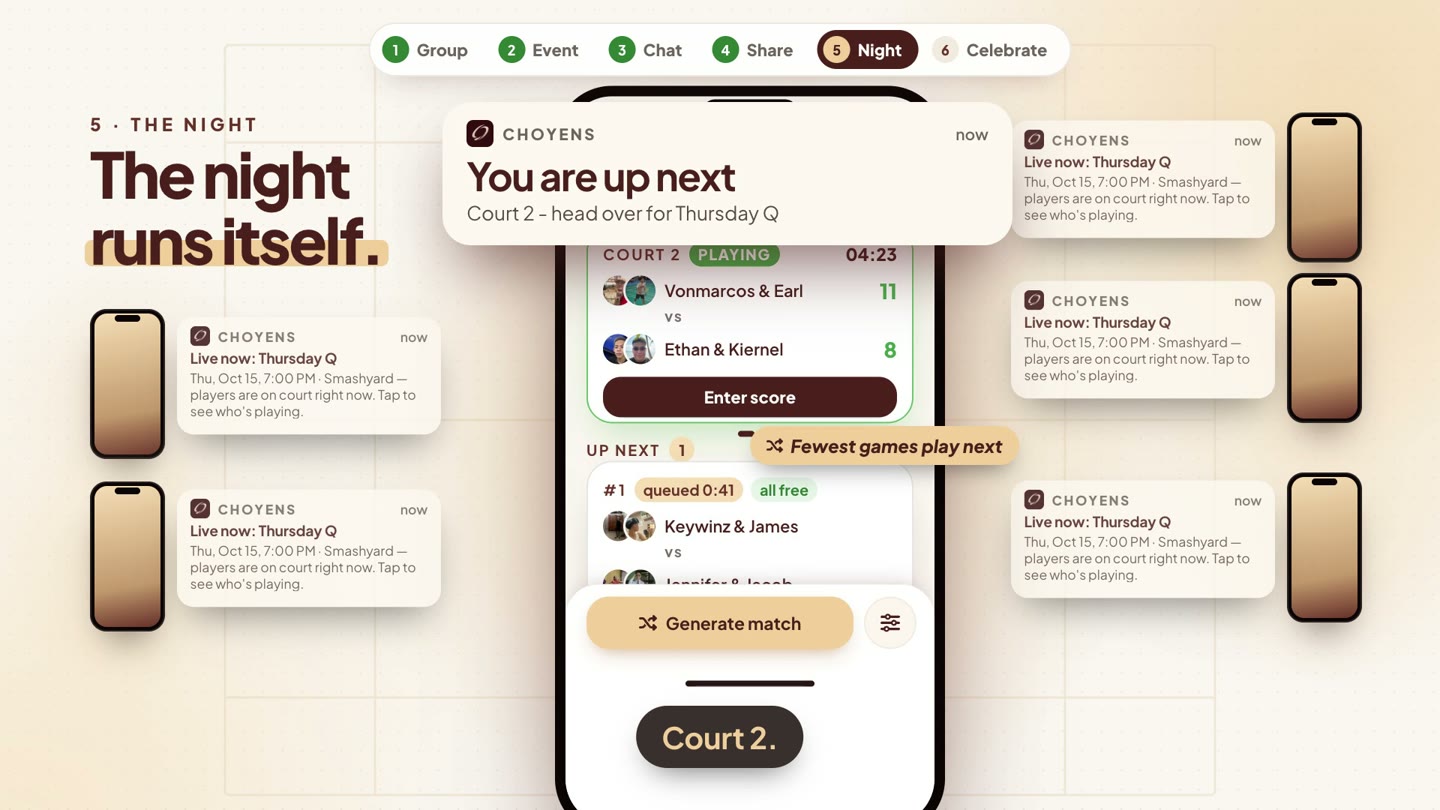
When the host taps Start open play, players nearby get the call: “Live now.” Inside, Choyens runs the queue — fewest games play next — and each player’s phone says when it’s their turn: “You are up next — Court 2.” (Here’s how Rotation works, step by step.)
6 Something to celebrate
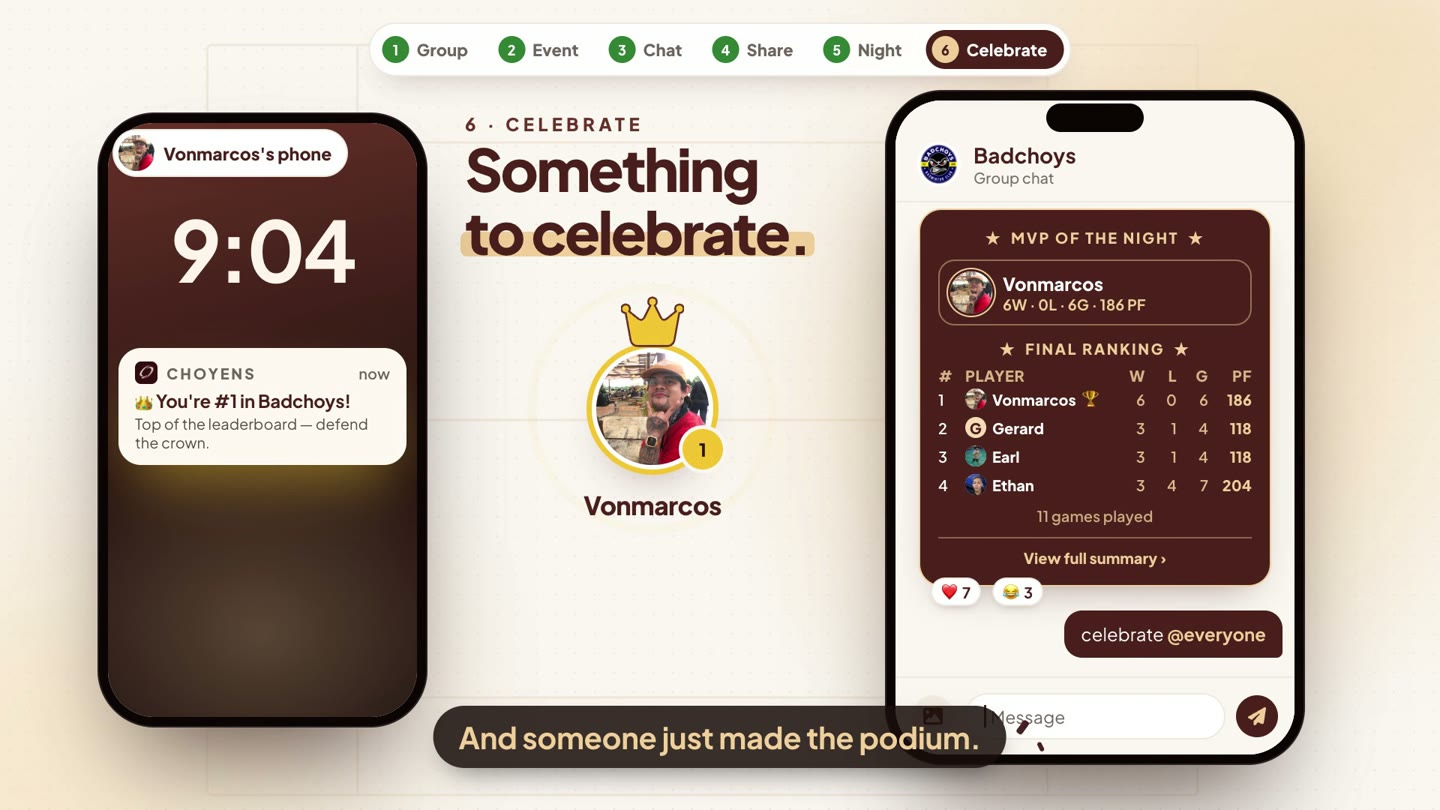
Close the night, and the result lands back in the chat: MVP of the night and the final ranking, right where the club can react to it. And when someone climbs the leaderboard, they hear about it. On Badchoys’ Thursday Q, Vonmarcos went 6–0 and got the message every player wants: “👑 You’re #1 in Badchoys!”
7 And the rest of the club
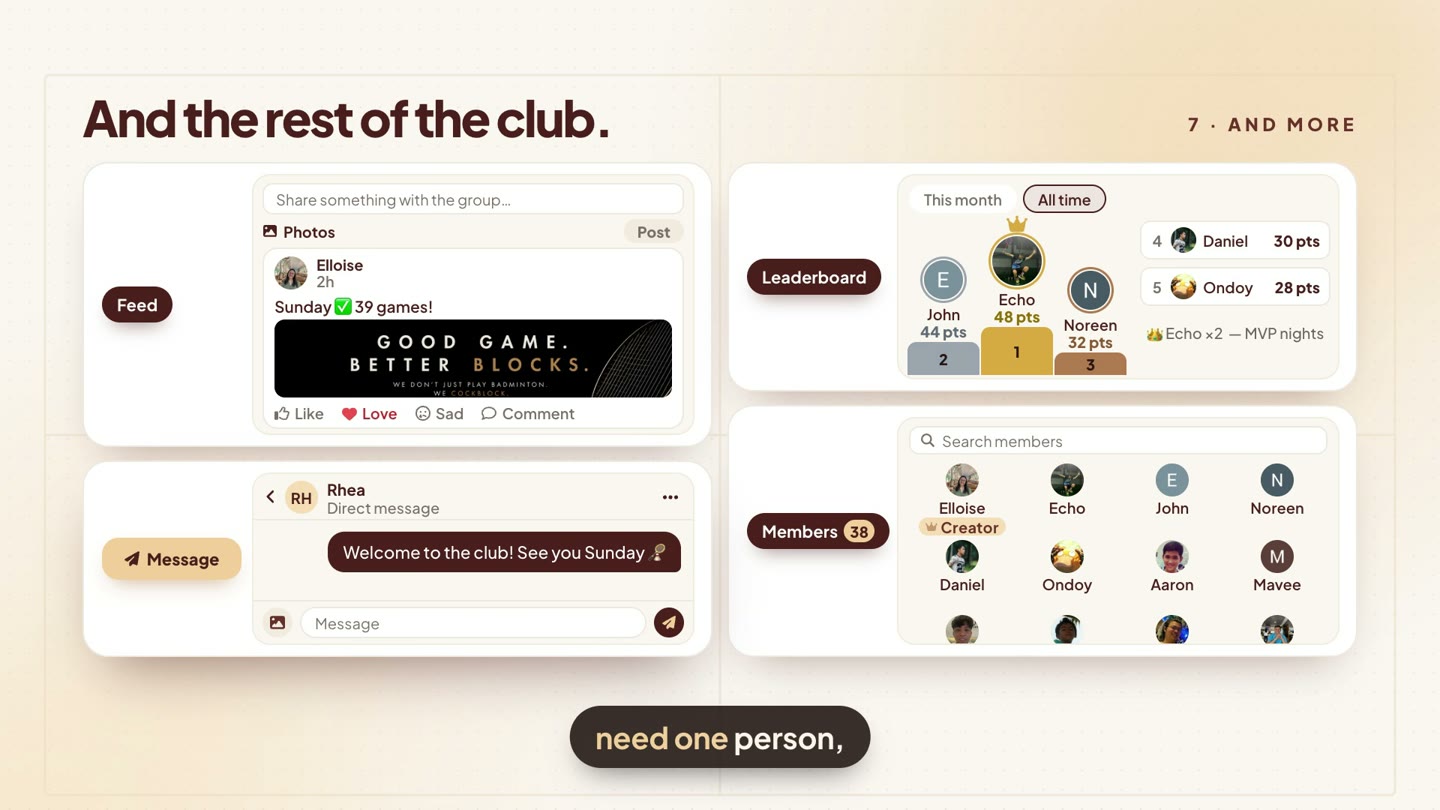
A feed for the photos. A leaderboard for the bragging rights, this month or all time. Members, all in one place. And a direct message when you need one person, not the whole room.
Which sports?
Choyens queuing — with rotation, live scores and rankings — works for badminton, pickleball, tennis, table tennis, volleyball, basketball and soccer. Running, hiking, cycling, swimming or yoga crews can use Meet-up events for casual sessions: same group, same chat, same link.
Your club. Your chat. Your night — in order.
Thank you to Badchoys and CockBlockers for playing with us and letting us feature your clubs. 🏸
Bring your club to Choyens
Free on iPhone and Android. Create your group, keep your chat, and let Choyens handle the list, the queue and the result.